
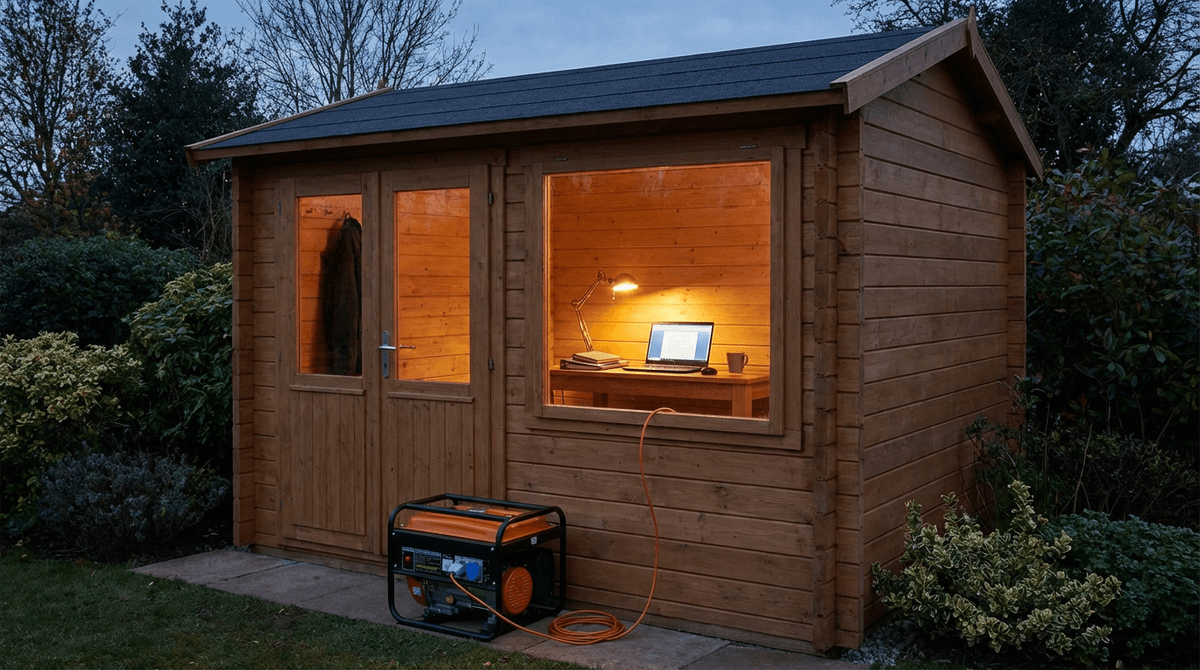
Remote-work backup is less about a single “computer wattage” number and more about stable voltage when a portable AC or mini-split compressor starts—or when a laser printer demands a short burst. Cross-check component estimates with How Many Watts Does a Desktop Computer Use and How Many Watts Does a Router Use.
Build the stack in the WattSizing Calculator.
Quick Answer
- Laptop + fiber/cable gear + lights: often 1,000–1,800 W class is enough with margin.
- Desktop + monitors + network + small fan: commonly 1,800–2,800 W.
- Any room air conditioner or larger mini-split in the office zone: expect 2,500–4,000 W (or more) depending on cooling equipment and start behavior.
Prefer an inverter generator for sensitive electronics when budgets allow.
Home office generator sizing table
All bands are illustrative—use your nameplate and measured draws when possible.
| Setup | Typical steady band | Typical peak / start events | Practical generator class |
|---|---|---|---|
| Laptop + one monitor + modem/router | 120–250 W | 250–500 W | 1,000–1,800 W |
| Desktop + two monitors + network | 350–700 W | 700–1,400 W | 1,800–2,800 W |
| Above + pedestal or ceiling fan | +40–120 W | +80–250 W | add ~200–400 W headroom |
| Office zone + portable AC | 900–1,800 W | compressor start can double short demand | 2,500–4,500 W |
Worked example (illustrative)
Storm-day office:
- Desktop + two monitors: 520 W steady.
- Modem/router/ONT: 40 W.
- Desk LED + chargers: 70 W.
- Portable AC: 1,100 W running; ~2,200 W during compressor start (illustrative).
Continuous running load: 520 + 40 + 70 + 1,100 = 1,730 W.
Start-critical path: the ~2,200 W AC start while basics remain on:
- Planning peak: ~2,200 W (AC) +
40 + 70 + 120(keep some desktop load during start—varies) → round to ~2,430 W illustrative. - Add 20% margin:
2,430 × 1.2 ≈ 2,916 W.
Direction: a ~3,000 W inverter generator is a sensible class here; larger if you add laser print jobs, space heat, or second cooling.
UPS and generator pairing (what to expect)
A small UPS can bridge generator start and refuel gaps—it does not replace correct generator sizing for motor loads.
- Size UPS for graceful shutdown and ride-through, not infinite runtime.
- Sinewave UPS designs often play nicer with switching power supplies than very cheap stepped approximations.
Safety: outdoor operation, cords, grounding
- Operate portable generators outdoors in well-ventilated areas; never indoors or in screened porches. Energy Saver’s portable generator notes align with common safe-use framing.
- CO alarms in living spaces remain important—especially when any improvised outage setup exists nearby.
- Use short, heavy-gauge cords; underrated cords starve compressors and networking gear alike.
Related: What Size Generator for a Desktop Computer, What Size Generator for Server Rack and Network Gear.
FAQs
Can I run a home office on a 1,000 W generator?
Often yes for laptop-centric work; desktops, displays, and especially room cooling usually push you higher.
Do I need a transfer switch for a home office?
Not always for extension-fed setups, but transfer switches or inlet kits are safer and more convenient for recurring outages—have a qualified electrician evaluate.
Why does my UPS click when the generator runs?
Voltage/frequency stability varies; inverter generators and proper grounding reduce nuisance switching. Persistent issues need professional review.
Is a laptop automatically “easier” than a desktop on a generator?
Usually lower average watts, but the total site load (cooling, monitors, docked GPUs) still matters.
Should I include printers?
Inkjets are often mild; laser printers can spike—include them if you truly run them during outages.
Sources
- U.S. Department of Energy: Portable Generators
- U.S. Energy Information Administration: Electricity Explained
- Generac: Generator Sizing Guide
CTA
Turn your gear list into one coherent watt profile: WattSizing Calculator.


